5 мин чтения
Getting StartedYour Tareno Dashboard
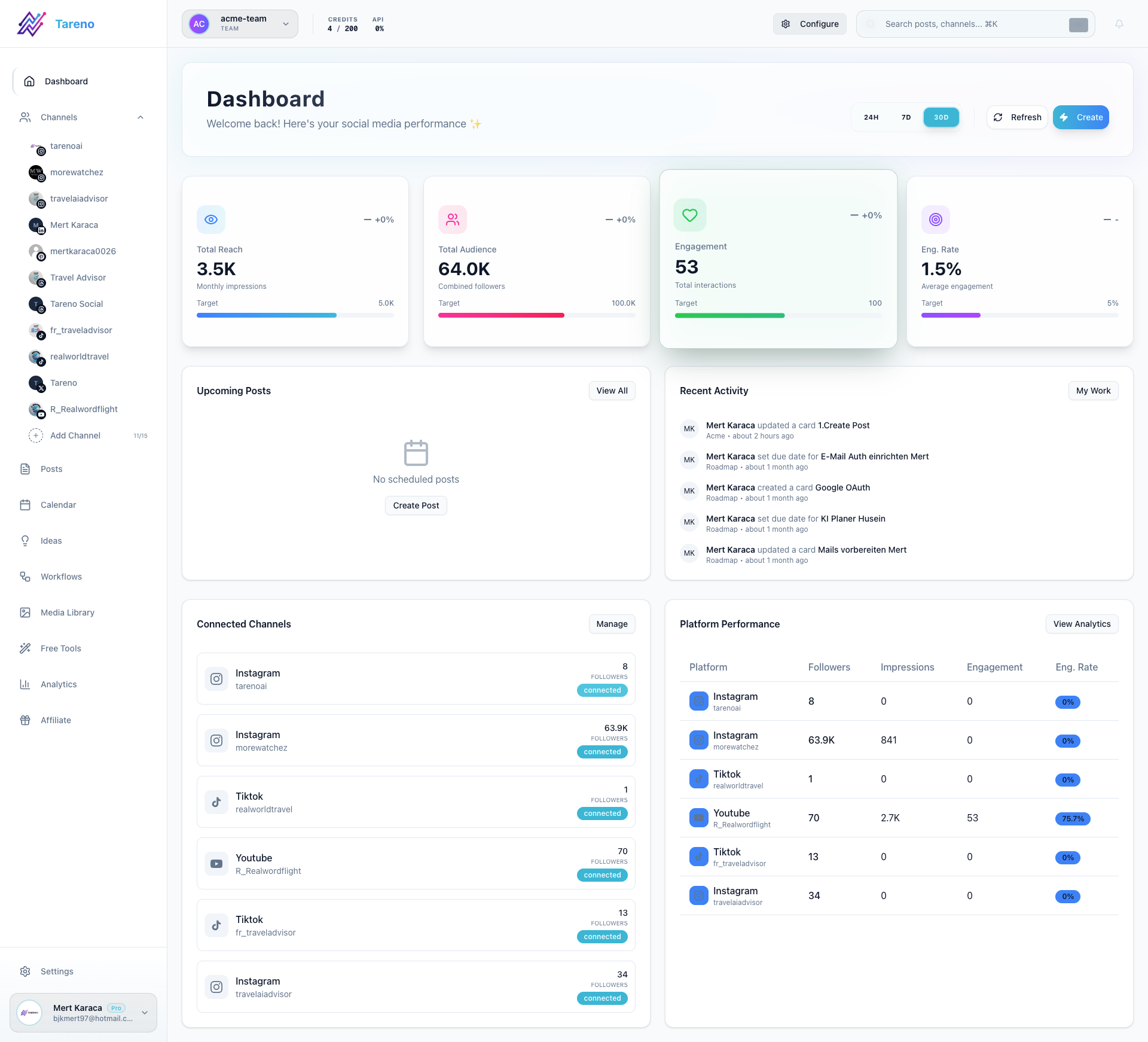
The dashboard is your control center in Tareno. It helps you understand what is happening right now across scheduling, analytics, and workspace activity.
What you can do from the dashboard
- Review high-level performance at a glance.
- Check upcoming scheduled posts.
- Jump into channels, analytics, workflows, or content creation.
- Spot gaps before they slow down your publishing workflow.
Recommended first checks
- Confirm that your connected channels are active.
- Review the next scheduled posts so you know what is going live.
- Open the area that needs attention most today, such as Calendar, Queue, or Analytics.
What to do next
If your workspace is still new, continue with Connecting your social accounts and then review Setting up your profile and workspace.
Была ли эта статья полезной?
Ваш отзыв помогает нам улучшать документацию.
Последнее обновление
March 8, 2026