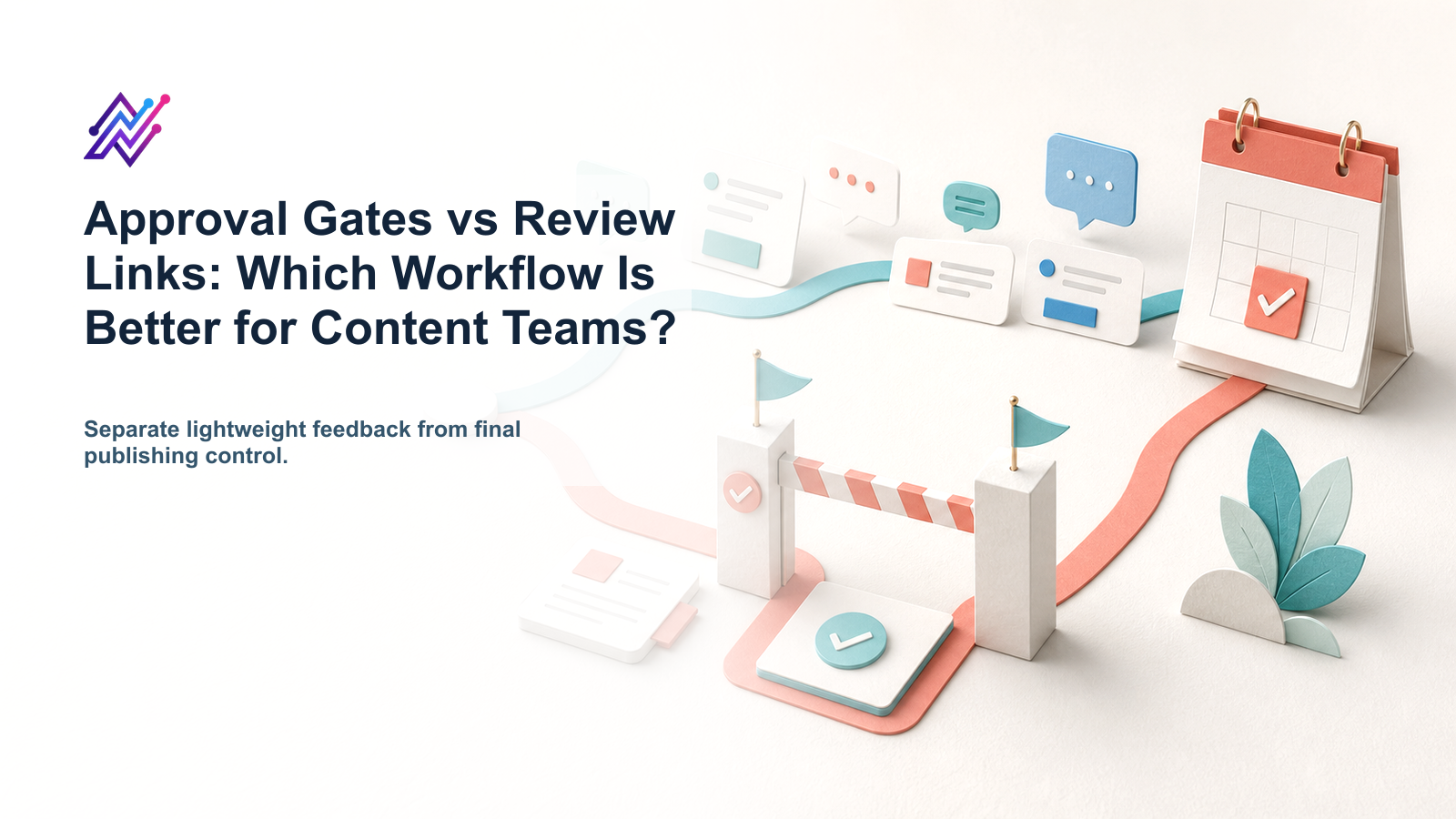
A review link and an approval gate sound similar.
They are not the same.
A review link helps someone see content and give feedback.
An approval gate controls whether content can move forward.
That difference matters.
For a solo creator, a review link may be enough.
For an agency managing client content, a review link without a publishing gate can still create risk; this is where structured approval workflows matter.
For a SaaS team publishing product claims, approval should be tied to the exact version before scheduling.
For a creator agency handling sponsored posts, review and approval need to be specific enough to protect the creator, brand, and campaign.
This guide explains the difference between approval gates and review links, when each one works, and how to choose the right workflow.
TL;DR
Use review links when you need lightweight feedback.
Use approval gates when publishing should be blocked until the right person approves the final version.
WorkflowBest forMain benefitMain riskReview linksQuick feedback, simple client review, light stakeholder commentsEasy to shareMay not control publishingApproval gatesClient content, product claims, pricing, sponsor posts, legal-sensitive contentPrevents unapproved publishingCan slow workflow if overused
The key rule:
Review links collect feedback. Approval gates control movement.
Many teams need both.
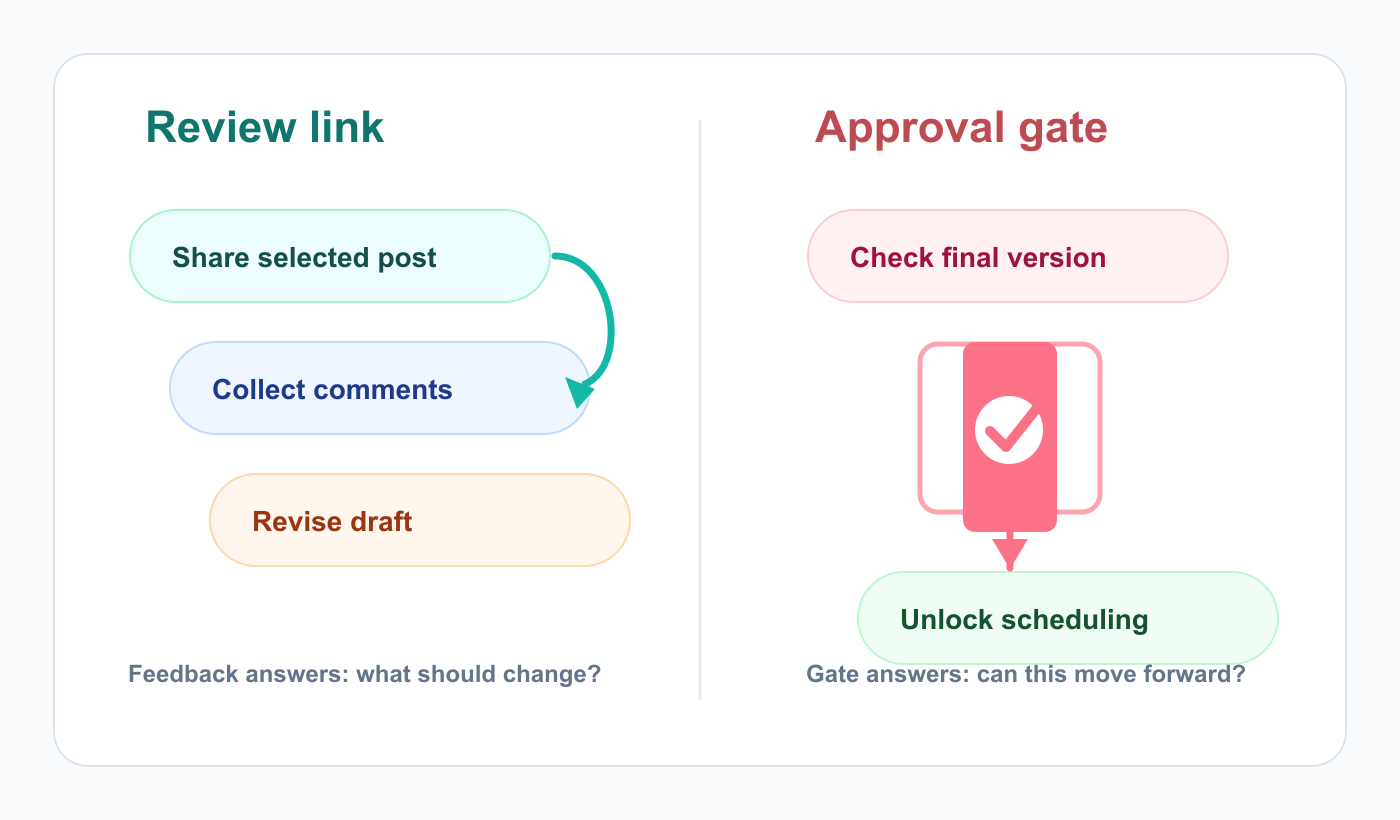
Review links collect feedback; approval gates decide whether content can move forward.
What is a review link?
A review link is a shareable way for a stakeholder, client, sponsor, or teammate to view content and leave feedback.
Review links are useful when:
the reviewer is external
the reviewer does not need full account access
the content needs comments
the review is lightweight
the post is low-risk
the team wants simple feedback
the stakeholder only needs to see selected content
Review links can be excellent for agencies and creators because they reduce friction.
A client does not need to log into a complex workspace just to review one post.
But a review link does not always mean publishing is controlled.
That is the important limitation.
What is an approval gate?
An approval gate is a required workflow step that blocks content from moving forward until approval is granted.
In social media workflows, an approval gate can block:
scheduling
publishing
sending to client
campaign launch
repurposing
automation trigger
reporting handoff
Approval gates are useful when content has risk.
Examples:
pricing claims
product claims
competitor comparisons
client posts
sponsor content
legal-sensitive topics
crisis communication
AI-generated claims
old repurposed content
paid ad adaptations
An approval gate is not only feedback.
It is control.
The simple difference
A review link answers:
What do you think?
An approval gate answers:
Can this move forward?
That distinction matters for workflow design.
A stakeholder can leave feedback through a review link and still not be the final approver.
A client may comment on a post but not approve the final version.
A product reviewer may approve the claim but not the asset.
A brand reviewer may approve the asset but request CTA changes.
A good workflow separates feedback from final approval, especially when the final state controls post scheduling.
When review links are enough
Review links may be enough when:
content is low-risk
reviewer feedback is optional
the team is small
publishing control is handled elsewhere
the client trusts the team
content is evergreen
the content does not include claims
the stakeholder only needs visibility
speed matters more than formal approval
Example:
A creator sends a weekly batch of low-risk educational posts to an assistant for comments.
A review link works well.
No heavy approval matrix is needed.
When approval gates are necessary
Approval gates are necessary when:
final approval must be recorded
unapproved content should not publish
the content includes sensitive claims
multiple reviewers are involved
client sign-off is required
sponsor sign-off is required
product/legal review is required
AI-generated content needs verification
old content is being repurposed
publishing mistakes could damage trust
Example:
A SaaS team posts a pricing comparison between its product and a competitor.
That should not rely only on a review link.
It needs approval from the right reviewer before scheduling.
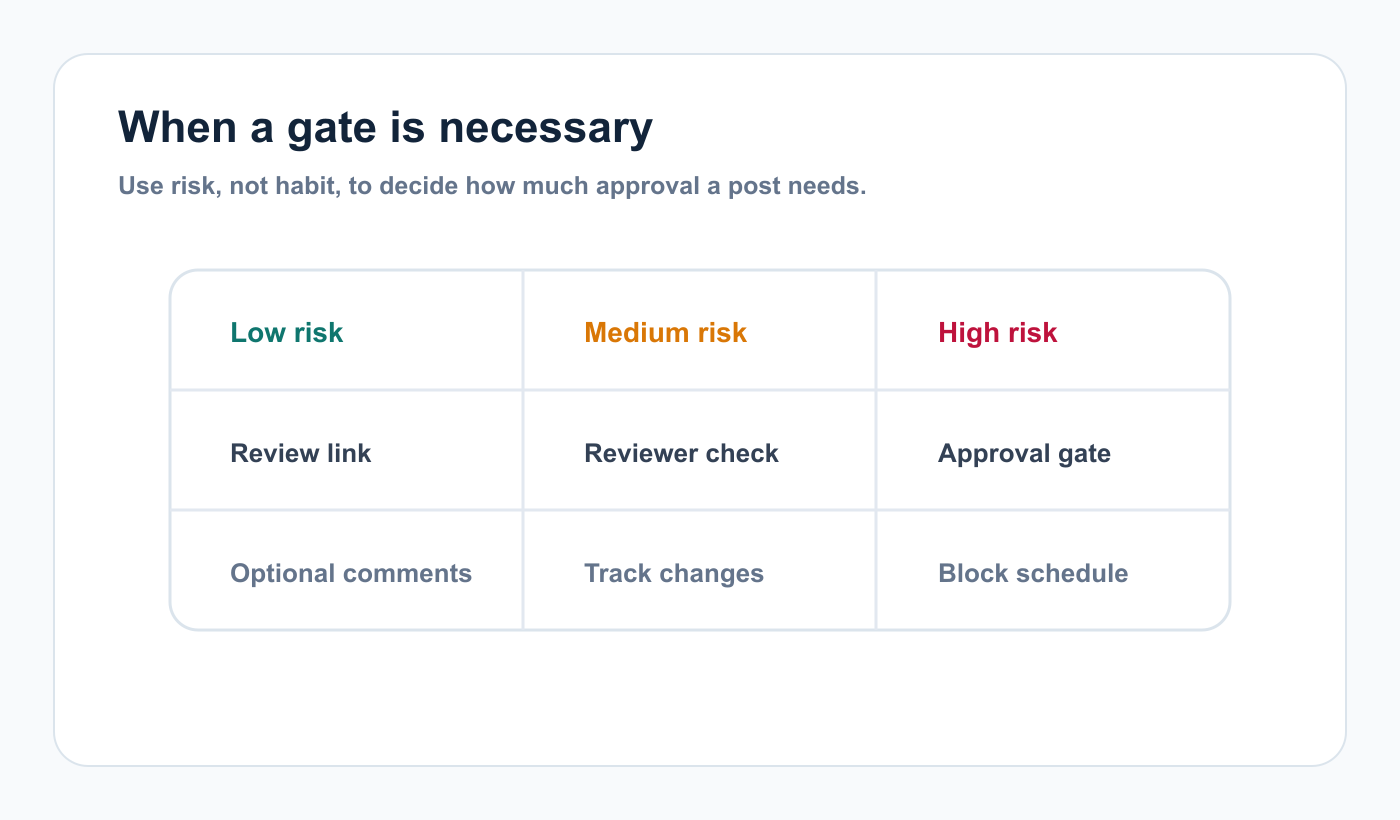
Risk level should decide whether feedback is enough or a hard approval gate is needed.
Review links for agencies
Review links are helpful for agencies because client access can be messy.
Clients may not want another login.
They may only review content once per week.
They may need a simple link with comments.
A good review link workflow:
Agency drafts content.
Internal review happens.
Client receives review link.
Client comments or approves.
Agency applies changes.
Final version is approved.
Approved post moves to scheduling.
The important part is step 6.
The review link should not replace final approval if the client must sign off.
Approval gates for agencies
Agencies need approval gates when client content should not publish without sign-off.
Approval gates help answer:
did the client approve?
which version was approved?
when was it approved?
who approved it?
did the caption change after approval?
can this post be scheduled?
does repurposed content need re-approval?
This protects the agency from disputes.
It also protects the client from accidental publishing, which is why agency teams often need approval workflow software instead of a loose comment thread.
For agencies, approval gates are especially important for campaign posts, sponsor content, pricing, offers, legal-sensitive topics, and client-specific claims.
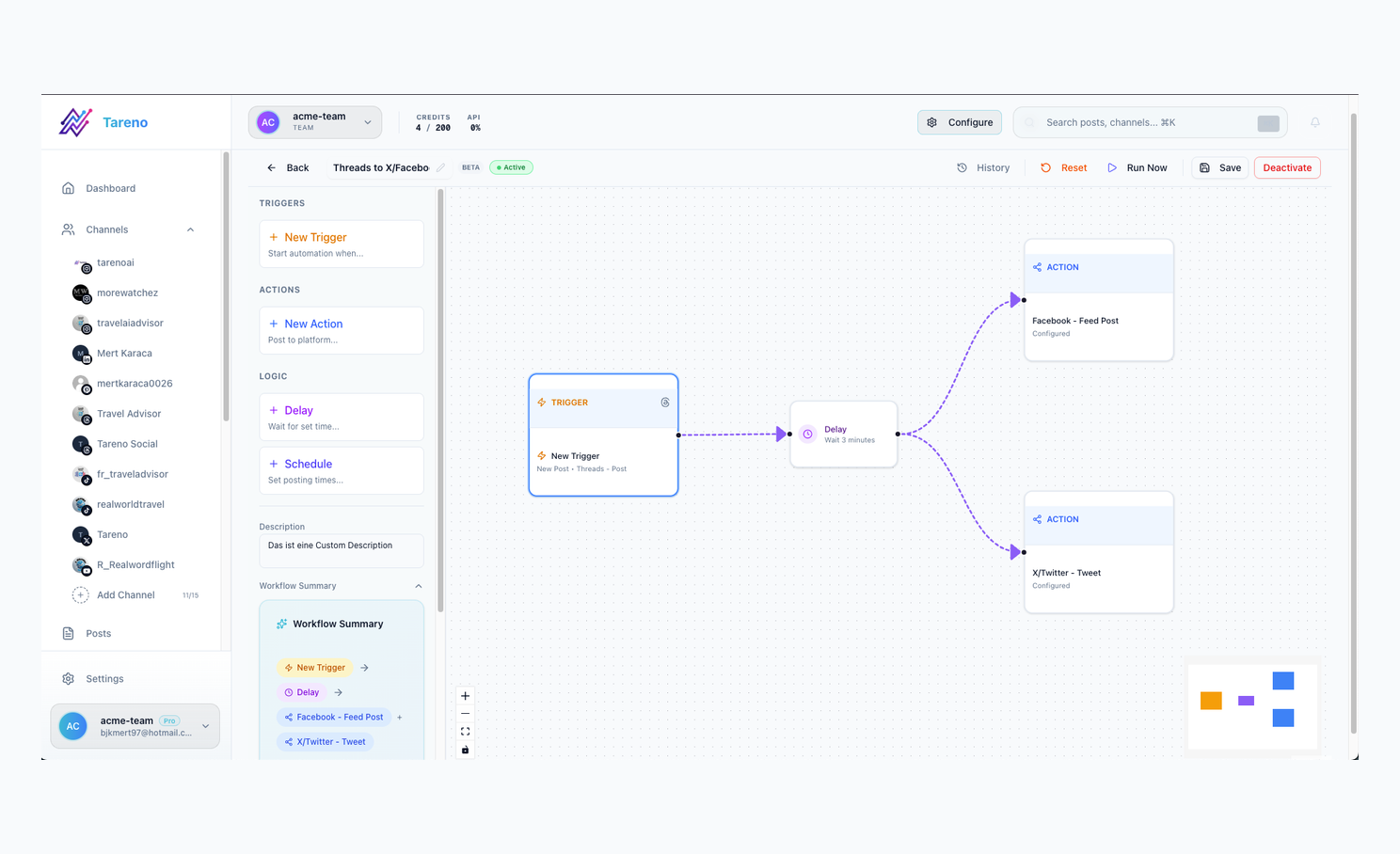
Workflow rules keep approval from becoming a loose comment thread.
Review links for creators
Creators may use review links for:
manager feedback
assistant feedback
sponsor previews
brand comments
UGC deliverable review
script review
caption review
Review links keep the process lightweight.
But creators should be careful with sponsored posts.
If money, brand requirements, disclosure, or usage rights are involved, a final approval record is better than casual comments.
Approval gates for SaaS teams
SaaS teams often need approval gates because social posts may include product claims.
Examples:
new feature announcements
integration claims
pricing claims
competitor comparisons
customer results
security claims
roadmap hints
product screenshots
These posts may need review from product, marketing, legal, support, or leadership.
A review link can collect feedback.
An approval gate ensures the final version is safe to publish.
Approval gates and AI content
AI makes approval gates more important.
AI can create drafts quickly, but it can also create:
inaccurate claims
generic language
wrong feature descriptions
outdated comparisons
risky promises
wrong pricing language
off-brand tone
A safe AI workflow:
Human enters idea.
AI creates draft.
Human edits.
Reviewer checks claims.
Approver approves final version.
Post is scheduled.
The approval gate prevents AI drafts from skipping judgment.
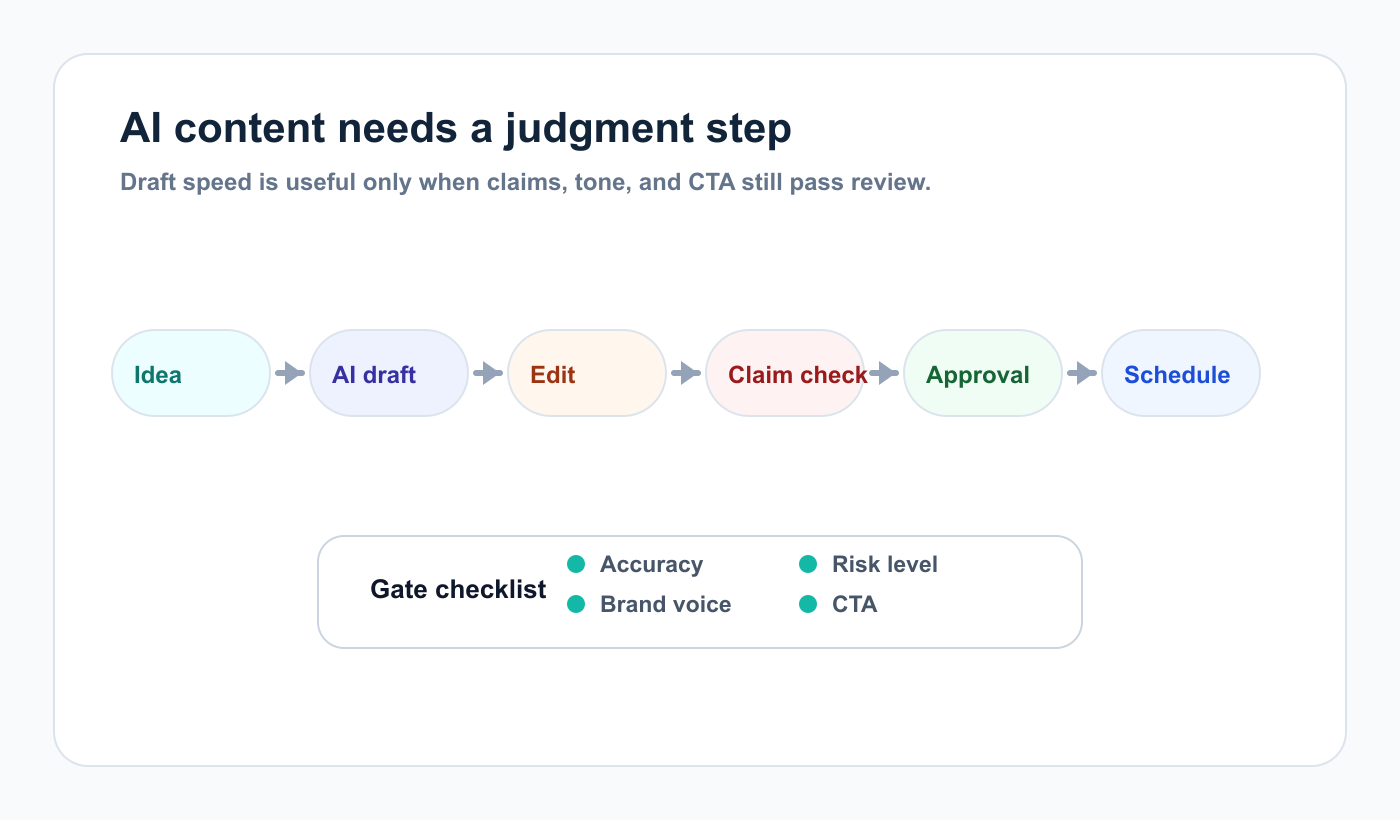
AI can speed up drafts, but approval gates keep risky claims from skipping review.
Approval gates and repurposing
Repurposing also needs gates, particularly when content moves into a repeatable content repurposing workflow.
Old posts can become outdated.
A post from last year may include an old feature, old price, old screenshot, expired offer, or sponsor context.
Repurposed content should be reviewed when:
it includes pricing
it includes product claims
it mentions competitors
it uses old screenshots
it includes sponsor/client context
it changes platform or CTA
it becomes paid ad creative
A review link can help collect comments.
An approval gate decides whether it can publish.
Workflow comparison table
ScenarioReview link enough?Approval gate needed?Low-risk evergreen tipUsuallyNot alwaysClient campaign postHelpfulYesSponsored creator postHelpfulYesPricing claimNoYesProduct feature claimMaybeUsuallyCompetitor comparisonNoYesAI-generated draftNoYes before publishingRepurposed old postMaybeIf claims/context changedInternal brainstormingYesNoCrisis responseNoYes
This table can become part of your workflow documentation.
Hybrid workflow: use both
The best workflow often uses both review links and approval gates.
Example:
Draft created.
Internal reviewer comments.
Client receives review link.
Client requests changes.
Team revises.
Client gives final approval.
Approval gate unlocks scheduling.
Post publishes.
Performance report creates repurposing task.
In this workflow, the review link supports feedback.
The approval gate controls publishing.
This is the safest and most practical setup.
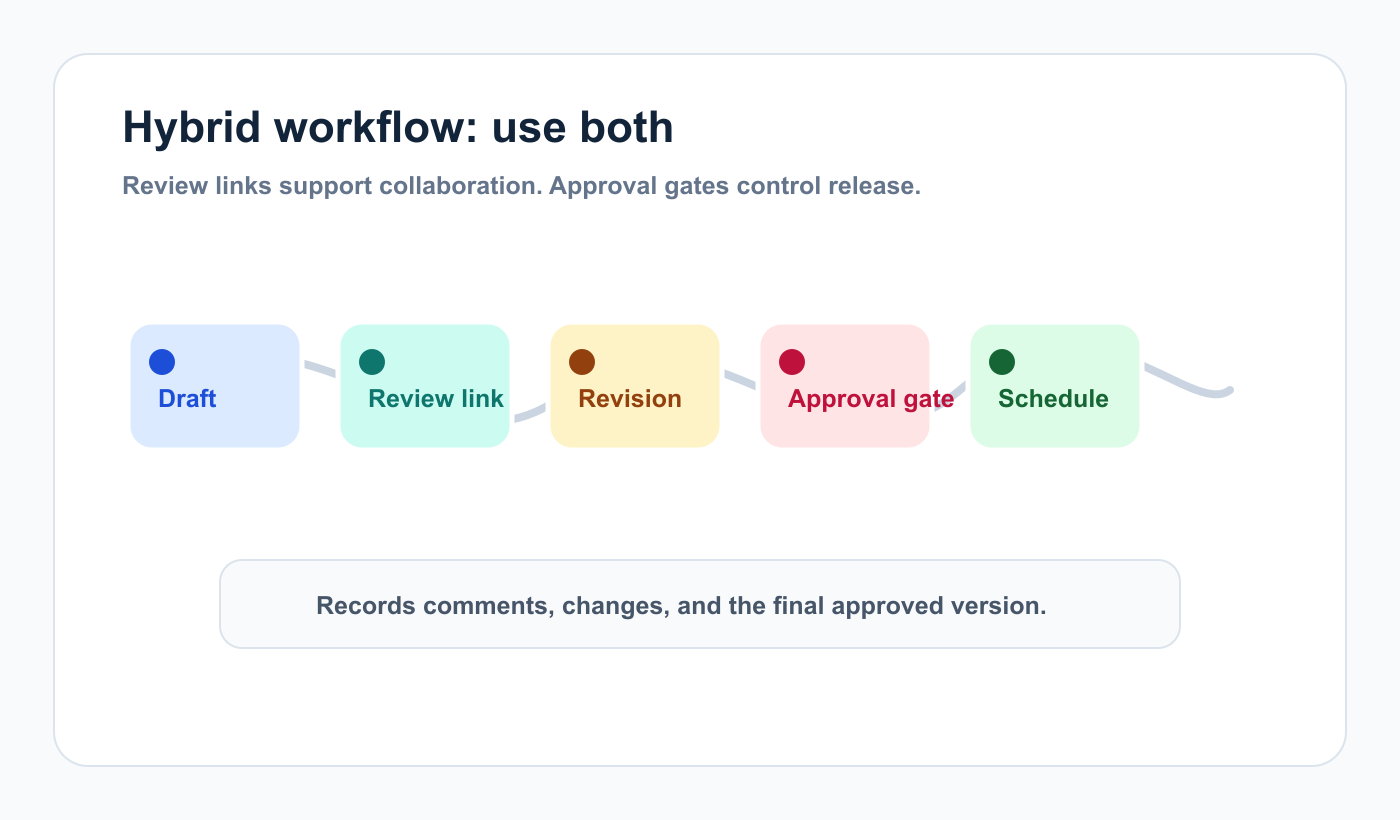
A hybrid workflow lets feedback happen early while publishing remains controlled.
How Tareno fits approval workflows
Tareno is useful when teams need review, approval, scheduling, reporting, and repurposing connected.
Relevant Tareno components include:
content boards
approval workflows
client/team workspaces
roles and permissions
activity visibility
content calendar
repurposing queue
analytics
workflow builder
AI captions and hashtags
Make integration
n8n integration
API access
This matters because approval should not be isolated.
The stronger workflow is:
draft -> review -> approval gate -> schedule -> publish -> report -> repurpose
Copy/paste decision rule
## Review Link vs Approval Gate Rule

Use a review link when:
- feedback is optional or lightweight
- content is low-risk
- reviewer only needs visibility
- external access should be simple

Use an approval gate when:
- final sign-off is required
- content includes claims
- client or sponsor approval is required
- AI output is involved
- old content is being repurposed
- publishing should be blocked until approval

Use both when:
- external feedback is needed
- final approval must be recorded
- scheduling should depend on approval
Common mistakes
Mistake 1: Treating comments as approval
A comment is not always final approval.
Mistake 2: No version control
Approval should apply to the exact version.
Mistake 3: Review links without publish protection
Feedback is useful, but risky content needs a gate.
Mistake 4: Approval gates for every tiny post
Too much approval slows the team.
Mistake 5: No re-approval rule
Material changes after approval may need re-review.
Mistake 6: AI drafts moving straight to scheduling
AI output should be reviewed before publishing.
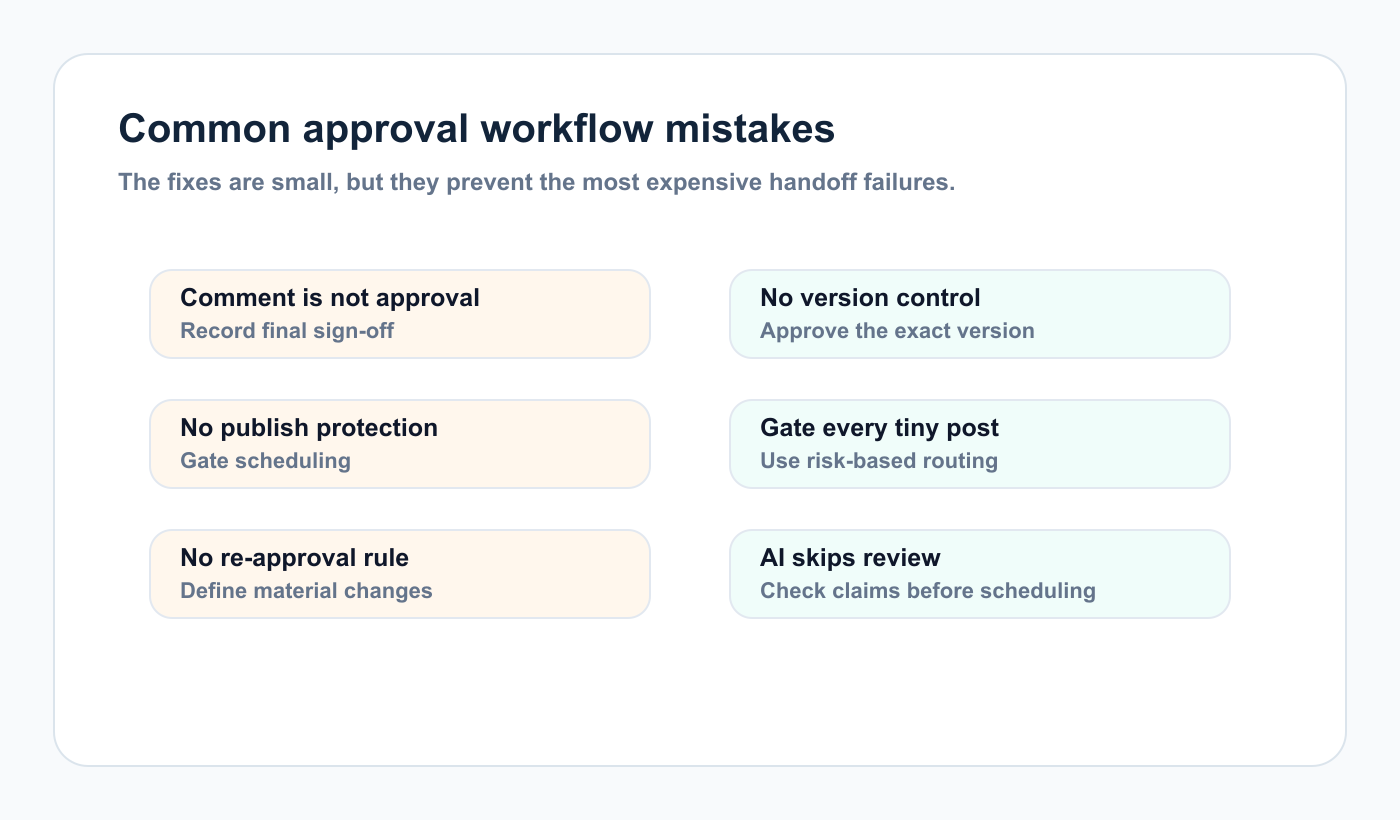
Most approval delays come from unclear sign-off, version, or re-approval rules.
Related Tareno resources
Keep the workflow moving
Workflow Workflow Builder Map owners, states, and automation handoffs in one process. See builder -> Feature Analytics & Reports Turn approved campaigns into measurable follow-up work. Open reports -> Tool Instagram Caption Generator Draft lower-risk captions before review begins. Try tool -> Alternative Planable Alternative Compare approval-first collaboration with a workflow system. Compare tools ->
FAQ
What is the difference between a review link and an approval gate?
A review link helps stakeholders view content and give feedback. An approval gate blocks content from moving forward until approval is granted.
Are review links enough for client approvals?
Sometimes. Review links can collect comments, but client content often needs final approval tied to the exact version before scheduling.
When do you need an approval gate?
Use approval gates for pricing claims, product claims, competitor comparisons, client posts, sponsor posts, AI-generated content, legal-sensitive content, and repurposed old content with risk.
Can review links and approval gates work together?
Yes. Review links can collect feedback, while approval gates control whether the final version can be scheduled or published.
Should AI-generated posts require approval?
Yes. AI output should be reviewed before publishing, especially if it includes claims, clients, sponsors, or competitors.
Do approval gates slow teams down?
They can if overused. The best approach is risk-based: light review for low-risk content and strict approval gates for high-risk content.
Final thoughts
Review links and approval gates solve different problems.
Review links make feedback easier.
Approval gates make publishing safer.
The best workflow usually uses both.
Use review links for collaboration.
Use approval gates for final control.
That is how teams move fast without publishing the wrong thing.
Use review links for collaboration, and use approval gates for the moments where the final version has to be protected.