TL;DR
Bulk social media posting helps teams schedule many prepared posts from one workflow instead of publishing one by one.
The time savings come from batch import and centralized review, not from magically creating 100 good posts out of nothing.
Bulk scheduling works best for evergreen campaigns, repurposed content series, and other repeatable publishing jobs.
It breaks down when content is highly reactive, approval-heavy, or too channel-specific to batch safely.
The safest way to scale is to treat bulk scheduling as an operating system with checks, not just a CSV feature.
Quick Definition
Bulk social media posting is the process of preparing and scheduling many posts in one batch through a centralized tool, upload workflow, or queue system. It works best for repeatable, pre-approved content and requires channel-specific adaptation plus a post-import QA check.
For high-volume teams, bulk scheduling becomes useful when publishing stops being a creative bottleneck and starts becoming an operational one. If your team already knows what should go out, the fastest win is not “work harder.” It is removing the one-post-at-a-time routine that burns time and increases mistakes.
This matters most for agencies, multi-brand teams, and marketing departments running recurring campaigns. Once you are scheduling dozens of posts across channels, the hidden cost is context switching: logging into different tools, duplicating copy, checking dates manually, and fixing preventable calendar collisions.
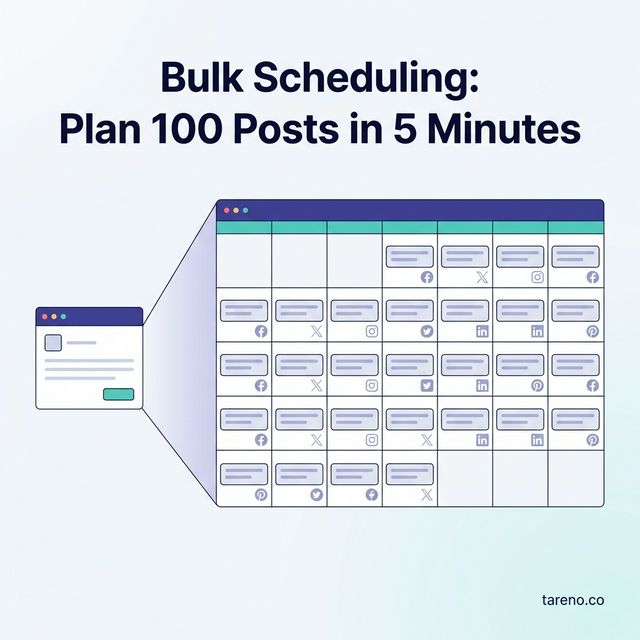
The important caveat: planning 100 posts in five minutes usually means scheduling 100 prepared posts in five minutes. It does not mean writing, designing, approving, and localizing them from scratch in that time. Good bulk scheduling compresses execution. It does not replace strategy, copy quality, or editorial judgment.
Bulk scheduling is not a strategy shortcut. It is a workflow shortcut for teams that already know what should be published.
Why bulk scheduling matters once volume becomes an operations problem
Bulk scheduling becomes valuable when three things happen at once: you manage multiple accounts, you publish on a recurring cadence, and your team spends more time on administration than on message quality. At that point, the real bottleneck is not idea generation. It is the mechanics of getting approved content into the calendar accurately.
A simple example: an agency with five clients may need to queue weekly tips, campaign reminders, event posts, and repurposed video snippets across several networks. Publishing those items one by one is not just slow. It creates avoidable variation in timing, naming, links, and formatting.
Used well, bulk scheduling improves consistency, reduces context switching, and makes campaign windows easier to manage. Used badly, it simply lets teams publish mediocre batches faster.
The BATCH Framework for safe bulk social media posting
To keep speed from turning into chaos, use the BATCH Framework:
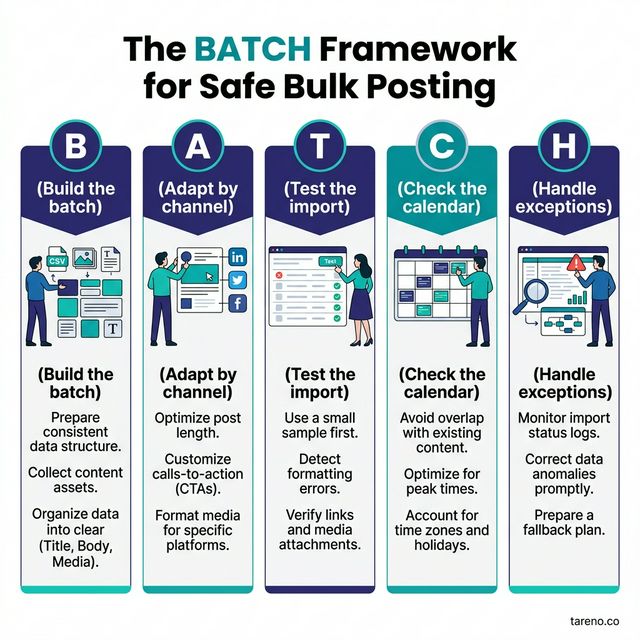
The BATCH framework ensures every bulk scheduling session is structured, tested and safe before publishing at scale.
B — Build the batch
Prepare the assets before any upload happens:
finalized copy or copy fields
approved media files
link destinations and tracking parameters if needed
campaign labels or naming rules
Mini-example: a webinar campaign includes one registration post, one reminder post, one speaker highlight, and one replay post for each relevant channel.
A — Adapt by channel
Do not assume that one caption belongs everywhere.
LinkedIn may need more context.
Instagram may need a stronger hook and tighter visual-text alignment.
Threads may need lighter, more conversational phrasing.
Mini-example: the same webinar post keeps the same CTA but uses different lead sentences for LinkedIn, Facebook, and Threads. Teams doing this at scale usually need a broader social media automation stack, not just a file upload feature.
If your creative also changes format by platform, channel adaptation may include audio decisions too. That becomes more obvious when you think in terms of audio-first creative adaptation instead of copy alone.
T — Test the import
Before you schedule the whole batch, verify:
date and time fields
media mapping
platform or account assignment
broken rows or rejected fields
Mini-example: one row contains the right caption but the wrong asset orientation for Instagram; catching it early prevents duplicating the error across the campaign.
C — Check the calendar
Open the resulting schedule in calendar view and look for:
clustering too many posts on one day
back-to-back posts on the same channel
conflict with launch dates or live events
Mini-example: three posts imported correctly, but all landed within 20 minutes of each other on the same client account.
H — Handle exceptions
A batch is never perfect forever. You need a simple rule for:
stale content
expired links
changed approvals
creative that no longer fits the moment
Mini-example: a promotional code expires earlier than planned, so the affected posts must be paused or edited without rebuilding the whole batch.
Step-by-step: how to plan 100 posts in minutes without creating 100 problems
The fastest batch workflows are boring in the best way: they rely on preparation, templates, and validation rather than heroics.
Step 1: Sort your content into batchable groups
Start by separating posts into content classes such as:
evergreen educational posts
campaign announcements
repurposed long-form content
seasonal reminders
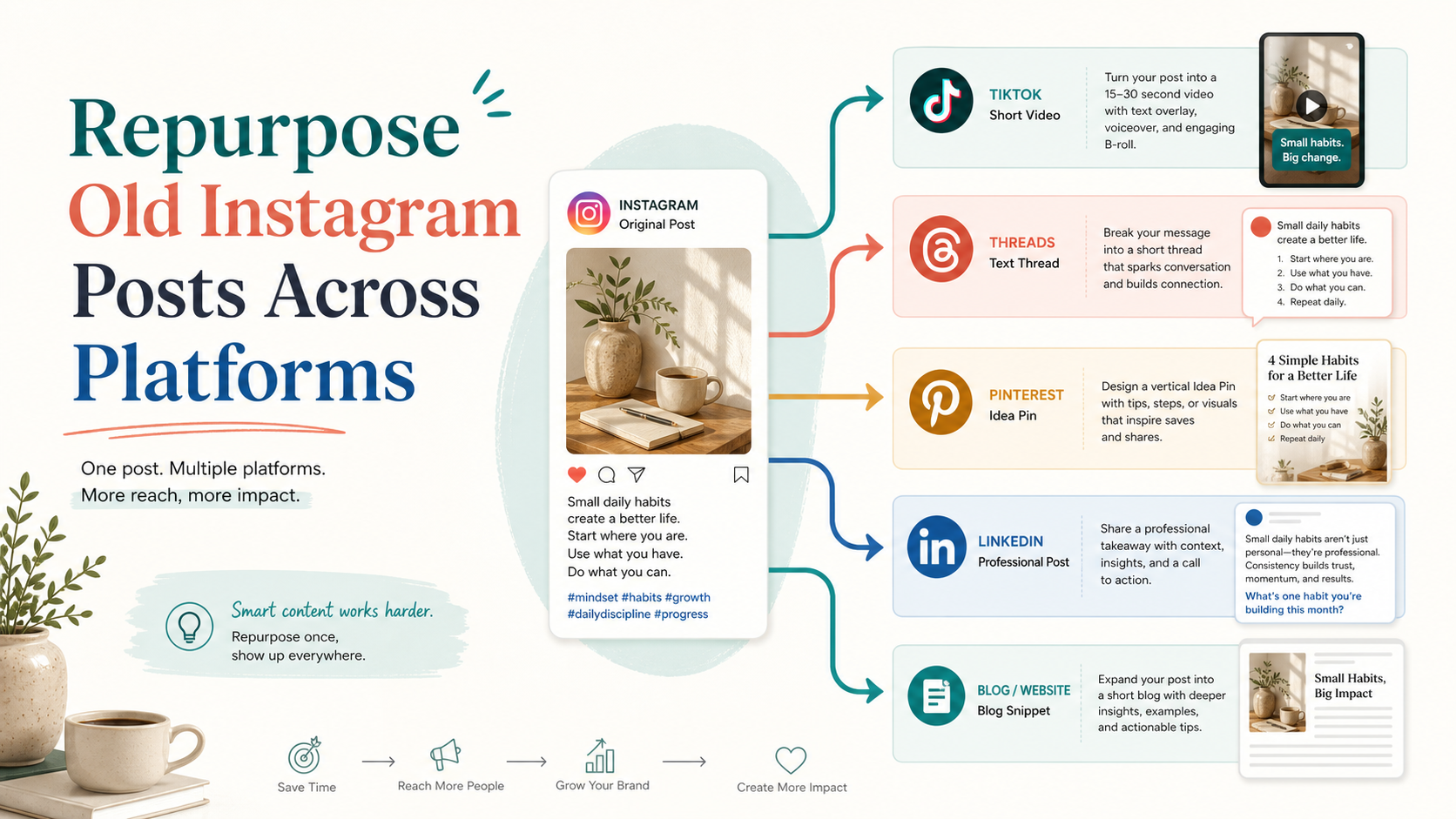
Mini-example: instead of treating 100 posts as one giant import, split them into four campaign groups with shared labels and timing rules. One practical source for those groups is repurposed long-form content that has already been broken into reusable post ideas before scheduling begins.
Step 2: Finalize the batch inputs before import
Your batch should include only assets that are already stable:
approved copy
working links
final media
assigned channels or accounts
target publication windows
If these fields are still changing, bulk scheduling will amplify confusion rather than reduce work.
Step 3: Define channel-specific variants
Even when the message is shared, the expression should not always be identical. Create variants by channel where needed:
longer context for LinkedIn
shorter promotional phrasing for Threads
stronger visual-text alignment for Instagram or Facebook
Mini-example: one customer story becomes a credibility-led LinkedIn post, a concise reminder on Facebook, and a lighter teaser on Threads.
Step 4: Import or batch-create the posts
This is the part people usually mean when they say “100 posts in 5 minutes.” Once the batch is prepared, the import itself can be fast.
A centralized workflow is especially useful here because it reduces tab-switching and keeps scheduling inside one operating surface. In Tareno, the relevant fit is the Post Composer workflow: teams can prepare multi-platform posts, customize copy by channel, save drafts, schedule content, and review the resulting batch in calendar context. That is a workflow claim supported by internal feature documentation, not a promise of automatic performance gains.
Step 5: Run a post-import QA pass
After import, review the schedule in a calendar or queue view. Check for:
incorrect dates
missing images
duplicate copy patterns
spacing issues
outdated landing pages
Mini-example: a batch imports successfully, but two Friday posts point to the same landing page variant, which only becomes obvious in a queue review.
Step 6: Assign exception ownership
Every batch needs an owner who can pause, edit, or reschedule items when reality changes. That owner should know:
what content is safe to leave untouched
what content depends on current events or approvals
what must be pulled if the campaign changes
Without that rule, bulk scheduling creates false confidence.
When bulk scheduling is the right move — and when it is not
Bulk scheduling is strongest when the content is repeatable, approved, and still relevant at the time of publication.
Good use cases
evergreen educational content
event countdown sequences with approved assets
multi-client monthly calendars
repurposed content series from webinars, videos, or blog posts
Mini-example: a team turns one long-form webinar into 12 short posts and schedules them over three weeks.
Weak use cases
reactive commentary on breaking platform changes
community-led posting that depends on live engagement
sensitive claims waiting on legal review
trend formats where the creative may feel dated in a few days
Mini-example: a fast-moving meme concept can look stale or off-tone by the time a two-week batch goes live.
Bulk scheduling vs. one-by-one scheduling vs. broader automation
The right choice depends on your operating model.
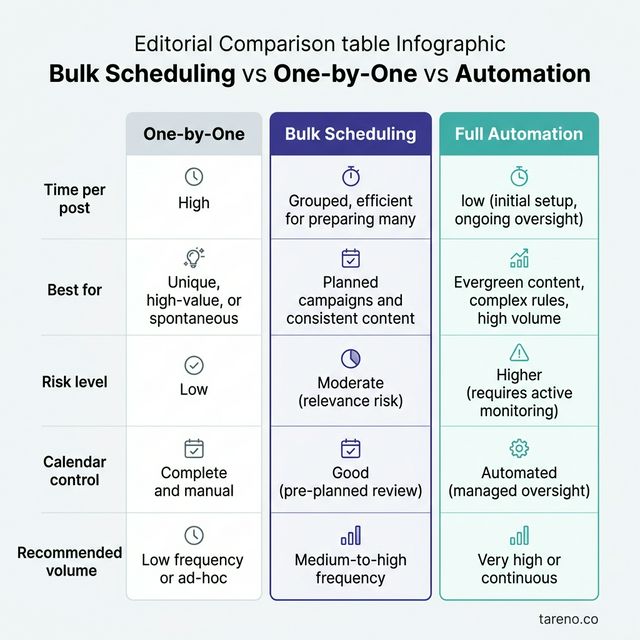
Bulk scheduling hits the sweet spot between manual one-by-one effort and high-risk full automation for most content teams.
ApproachBest partMain limitBest fitOne-by-one schedulingmaximum manual controlslow and fragmentedlow-volume single-brand teamsBulk schedulingfast centralized executioncan scale bad inputsagencies and high-volume teamsBroader automation workflowsrepeatable system logic across tasksmore setup and governancemature teams with stable recurring processes
Mini-example: a small founder-led brand posting three times a week may not need a bulk workflow. A multi-client agency almost certainly does.
If your question is bigger than scheduling alone, it helps to define your broader automation model: what should stay native, what belongs in a social media management platform, and what should move into more complex workflows.
Pre-flight checklist before you schedule the batch
A bulk workflow becomes reliable when the team treats scheduling like a release process, not just an upload event. Before you approve the batch, run one final pre-flight pass across three areas: content stability, calendar logic, and account accuracy.
1) Confirm content stability
Ask a simple question: is each post actually ready to survive unattended until publication?
Check:
final CTA links
approved copy status
approved visuals
working tags or campaign labels
any time-sensitive references that may age badly
Mini-example: a post mentioning “this week only” is safe in a manual workflow but dangerous in a four-week batch if the timing changes.
2) Check calendar logic, not just calendar fullness
A packed calendar can still be a weak calendar. Review:
whether similar posts are too close together
whether one account is over-weighted on a single day
whether posts conflict with launches, holidays, or live events
whether audience fatigue is likely from too many promotional items in sequence
Mini-example: the import succeeds, but Monday now contains three promotional posts and no educational content, which changes the feel of the whole week.
3) Verify account and platform accuracy
High-volume teams often manage multiple brands, markets, or clients. That makes destination errors more dangerous than copy typos. Check:
correct brand account
correct platform selection
correct post type where relevant
correct local time zone or publication window
Mini-example: the copy is approved for Client A, but two posts were assigned to Client B’s account because the source sheet reused an old row.
4) Define what gets paused first if plans change
Bulk scheduling is easier to trust when the team already knows what can be removed without damaging the campaign. Useful categories:
safe to pause
must publish
requires manager review if edited
Mini-example: if the landing page changes, informational evergreen posts can stay, but direct conversion posts should be reviewed immediately.
This checklist feels slower upfront, but it usually protects the exact thing teams want from bulk scheduling: speed without cleanup debt.
Common failure points that make batch posting backfire
1) Identical copy everywhere
The speed gain disappears when teams publish obviously mismatched captions across networks.
2) Stale timing
A batch can be technically correct but strategically outdated.
3) Broken asset mapping
Wrong dimensions, wrong file, or wrong destination account: small import mistakes create large visible errors.
4) Weak post spacing
A full calendar is not the same as a well-paced calendar.
5) No exception rule
If nobody owns changes after import, the batch becomes fragile.
Mini-example: a 30-post sequence looks efficient until a landing page changes and nobody updates the already-scheduled CTA links.
Where Tareno fits in a high-volume publishing workflow
Tareno fits best when a team needs centralized planning and publishing discipline, not just a faster upload button. Based on internal feature documentation, the strongest relevant capabilities here are multi-platform post creation from one composer, per-platform customization, scheduling and draft handling, previews, calendar review, bulk actions, and queue visibility across draft, scheduled, and published states.

Tareno's calendar view makes reviewing a bulk-imported batch intuitive — spacing, platform distribution and timing conflicts are immediately visible.
That matters because high-volume scheduling is rarely a pure import problem. It is a coordination problem. Teams need one place to prepare, review, and adjust batches without bouncing between channels.
A practical example: a marketing manager batches a month of educational posts, customizes copy by platform, schedules them, and then checks spacing in the calendar before publication. That is a grounded workflow fit for Tareno’s Post Composer and related queue and calendar views. It is a more credible product story than claiming that bulk upload alone fixes performance.
If you are evaluating tools, use this filter: the right tool should help you batch work without flattening platform differences.
FAQ
Is bulk social media posting the same as automation?
Not exactly. Bulk scheduling automates part of the publishing workflow by batching execution. Full automation usually includes broader logic such as triggers, approvals, routing, retries, and multi-step workflows beyond scheduling.
Can you use one caption for every platform in a bulk upload?
You can, but that does not make it a good idea. Platform audiences, formatting expectations, and context differ. A safer rule is shared message, adapted expression.
When does CSV upload make sense?
CSV-style workflows make the most sense when you already have structured content fields at scale: dates, captions, links, and asset references. If the content is still changing heavily, direct composer-based batching may be safer.
How far ahead should you bulk schedule posts?
There is no universal number. Schedule farther ahead for evergreen or approved campaign content, and stay closer to publication for reactive, trend-sensitive, or approval-heavy topics.
What should you check after import?
Review dates, channel mapping, media attachments, links, copy variants, and calendar spacing. Successful import does not guarantee sensible scheduling.
Does bulk scheduling hurt engagement?
Bulk scheduling itself is not the problem. Engagement usually suffers when teams batch low-quality, repetitive, or poorly timed posts. The tool is rarely the root issue; the operating discipline is.
Key Takeaways
Bulk scheduling is an execution advantage when volume is high and the inputs are already prepared.
The real leverage comes from structure, channel adaptation, and post-import QA.
It is best for repeatable campaigns, evergreen content, and repurposed content systems.
It is a poor fit for highly reactive or unstable content calendars.
Tareno is most relevant here as a centralized workflow for composing, customizing, scheduling, and reviewing batches.