5 min read
Publishing & SchedulingUsing the Visual Content Calendar
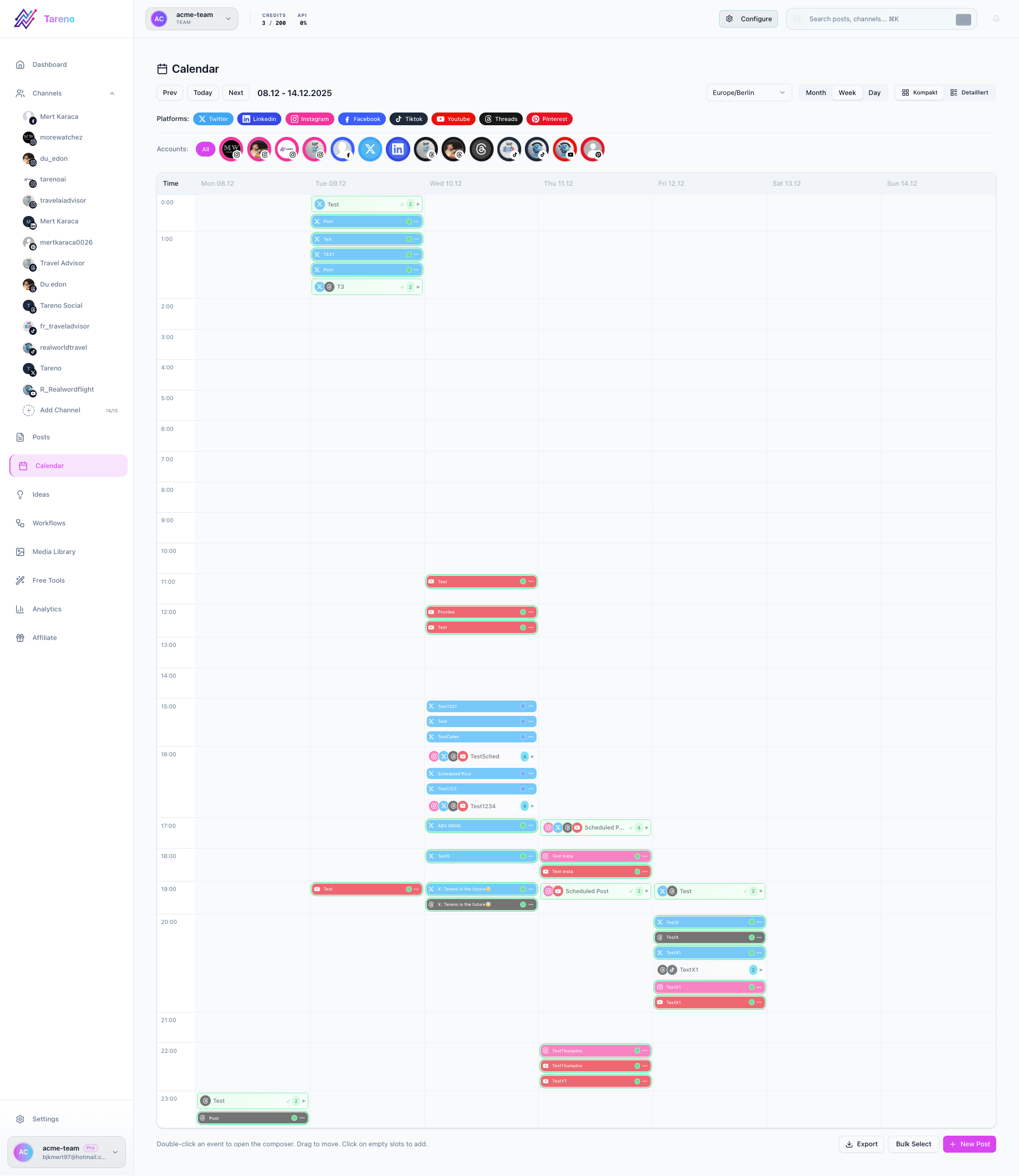
The calendar is the best place to see your publishing plan as a timeline instead of a list.
What the calendar helps you do
- See posting density across days and weeks.
- Spot gaps before they hurt consistency.
- Move planned content when priorities change.
- Filter by platform or status.
Use the calendar efficiently
- Open the calendar from the dashboard.
- Switch between the available views if you need a different planning level.
- Filter by platform or status to focus on one slice of your schedule.
- Open individual posts when you need to edit details.
- Drag items to a new slot when a campaign needs to move.
Related features
- Post Scheduling for automated queue management
- Content Boards for ideation before scheduling
- Best Time to Post to optimize calendar placement
What to do next
For a status-first view of the same content, review Drafts, Published Posts and Queue.
Was this article helpful?
Your feedback helps us improve our documentation.
Last Updated
March 8, 2026