Delays, schedules and actions
Once your trigger is in place, the node configuration determines whether the workflow feels controlled and intentional or noisy and hard to manage. This guide focuses on the three nodes that shape timing and output after the trigger.
Delay nodes
Delay nodes add a fixed wait between the trigger and the next step.
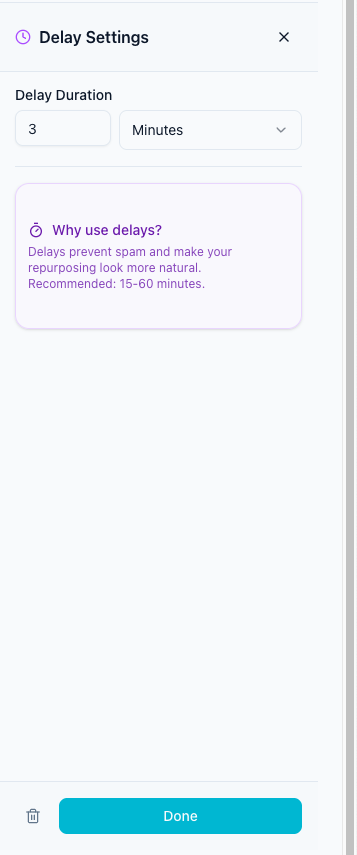
Use a delay when:
- you want to stagger publishing across channels
- the original post should go live first
- you want a same-day repost without immediate duplication
Good default ranges:
- 5 minutes for same-platform follow-ups
- 15 to 60 minutes for cross-platform repurposing
- 1 day or more for slower campaigns or recap content
Schedule nodes
Schedule nodes turn content into a controlled cadence instead of a simple one-time wait.
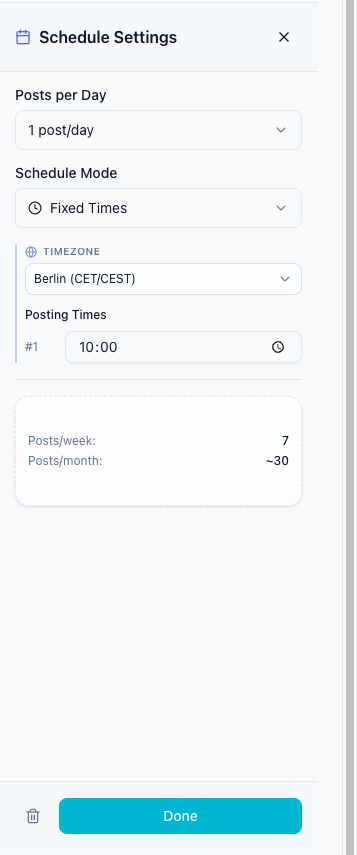
Use a schedule node when you need:
- a fixed number of posts per day
- specific posting times
- timezone control
- best-time posting based on analytics
- evenly spread distribution across the day
Typical use cases:
- publish 2 evergreen posts per day
- drip repost queue items across the week
- avoid dumping a large back-catalog all at once
Action nodes
Action nodes define the final publishing step.
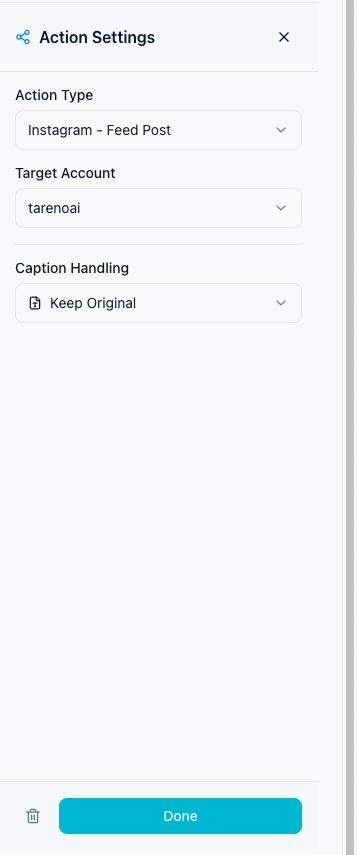
Inside an action node you can usually decide:
- which destination platform should receive the post
- which connected account should be used
- whether to keep the original caption, add a prefix or suffix, use AI rewrite, or write a static custom caption
- any platform-specific requirements, such as TikTok privacy or Pinterest board selection
Three working patterns
Pattern 1: Fast repost
Use this when the content should go out shortly after the original post.
Flow:
- Trigger
- Delay
- Action
Example:
- TikTok video -> wait 30 minutes -> YouTube Shorts
Pattern 2: Evergreen drip
Use this when you want older content to stay active over time.
Flow:
- Evergreen trigger
- Schedule
- Action
Example:
- Evergreen repost set -> 2 posts/day at fixed times -> LinkedIn Post
Pattern 3: Multi-destination rollout
Use this when one source should power several channels.
Flow:
- Trigger
- Multiple delay branches
- Multiple actions
Example:
- YouTube Short -> wait 15 minutes -> TikTok
- YouTube Short -> wait 30 minutes -> Instagram Reels
- YouTube Short -> wait 45 minutes -> Facebook Reels
Recommended node setup order
- Choose and fully configure the trigger.
- Add a delay when the workflow should wait once before publishing.
- Add a schedule when you need a daily or analytics-based cadence.
- Configure the action for every destination platform.
- Check the workflow summary before switching the workflow on.
What to do next
If you want to automate long-tail content reuse, continue with Automated Repost Queue. If you need the full builder walkthrough, go back to Workflow Builder.
Was this article helpful?
Your feedback helps us improve our documentation.
Last Updated